
How to Put Vinyl on Ornaments

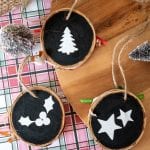
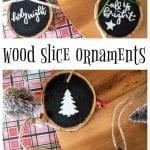
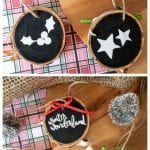
Make beautiful Wood Slice Christmas Ornaments with vinyl and your Cricut Cutting Machine!

It is no secret that I love my Cricut Joy – and all of my easy Cricut crafts!
I know that vinyl cutting machines can seem intimidating but they really are quite simple. They can make even the most basic items more special. That’s the case with this project. These easy wood slice Christmas ornaments are gorgeous and comparable to something you might find at your favorite store. Let me show you how to make them.
By the way, if you love making Cricut crafts, check out our Holiday Cricut Projects or Cricut Christmas Ornaments for links to decor and gifts tutorials.
Materials Needed:
- Set of 3 birch wood slices, 2.25” diameter x ⅜” thick
- Crafter’s Acrylic paint in black
- Paintbrush
- Cricut Joy
- Smart Vinyl, Permanent in white
- Holiday SVG file
- Weeder
- Scissors
- Cricut transfer tape
- Twine
- Decorative ribbon, ⅛” wide
- Hot glue gun and clear glue sticks (not shown)

Instructions:
- Gather supplies.
Painting the Wood Slices
- Paint both sides of the wood slices in black.
- Ensure paint dries fully before proceeding.
Uploading the SVG Pattern
- Upload the Holiday SVG File into Design Space.
- With the image highlighted, click on “Ungroup” to separate the images.
- Adjust phrase (and image) sizes to fit your wood slices accordingly or maintain size (2” wide) as provided.
- Highlight one phrase at a time and click on “Attach”. Highlight each individual set of images (for example, the 3 stars) and click on “Attach”.
Cutting the Vinyl
- Ensure the machine is set to Cricut Joy and select “Make It” in Design Space.
- Choose “Without Mat” as the option for cutting when using Smart Vinyl.
- Set material type to Smart Vinyl.
- Follow prompts for loading the mat into the Cricut Joy and cutting the Smart Vinyl. When prompted, unload the vinyl from the cutting machine.
Applying the Vinyl to the Wood Slices
- Cut around each word and image with a pair of scissors.
- Using the weeding tool, peel away the excess vinyl and discard.
- Cut a piece of transfer tape a bit larger than the size of the phrase or image.
- Peel away the transfer tape backing and place the transfer tape overtop of the cut image. Gently rub the vinyl to help it stick to the transfer tape.
- Peel away the vinyl backing and place the image on to the one side of the wood slice. Gently rub the vinyl to help it stick to the wood slice. You can use a Cricut scraper tool for this.
- Carefully and slowly peel away the transfer tape.
- Repeat steps 12-17 for the other wood slices.
Assembling the Ornaments
- Cut three pieces of twine 9” long. Insert the end of the twine through the hole at the top of the wood slice and tie ends together.
- Cut three pieces of decorative ribbon 6” long. Tie each ribbon into a small bow.
- With a hot glue gun, glue the bow near the top of the ornament.
If you like, you can add a hand-lettered message or use your Cricut to create these simple but beautiful SVG files to add a holiday message on the back of your ornaments.

DIY Ornament Tutorials
We’ve done lots of Wood Slice Ornaments mostly because they’re so easy and versatile to work with! Here are a few more wood slice ornament ideas you’ll love:
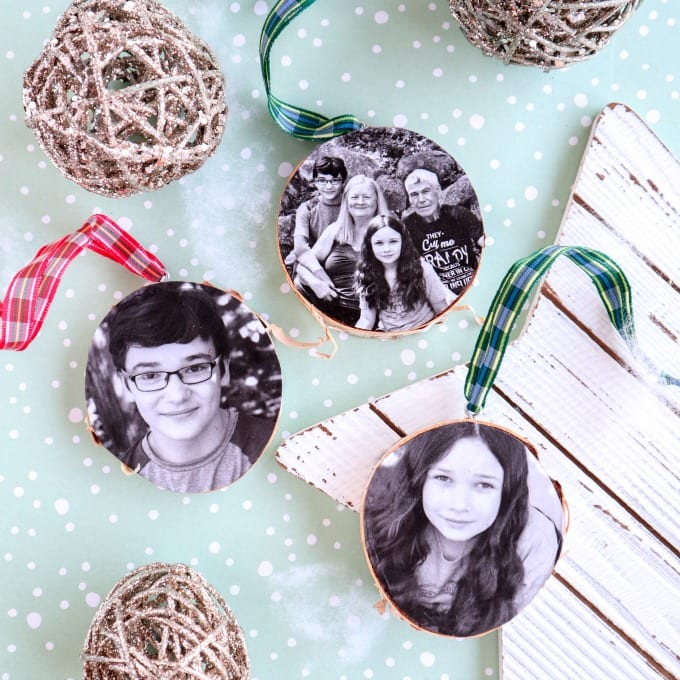
- Wood Photo Ornaments – gorgeous and sentimental, what could be better?
- Wood Circle Ornaments – this is another Cricut craft that’s easy and beautiful!
Even more ornament ideas for you:
📋 How to Put Vinyl on Ornaments Tutorial
Not ready to make your own vinyl transfer ornaments yet? Don’t forget to pin this project for later! When you do make it, please be sure to tag me on Instagram @jugglingactmama or #jugglingactmama – I’d love to see your pictures!

How to Put Vinyl on Wood Slice Christmas Ornaments
As an Amazon Associate, I earn from qualifying purchases.
Equipment
- Paintbrush
- Cricut Joy
- Weeder
- scissors
- Hot glue gun
- Clear glue sticks (not shown)
Materials
- Set of 3 birch wood slices 2.25” diameter x ⅜” thick
- Crafter’s Acrylic paint in black
- Smart Vinyl Permanent in white
- Holiday SVG file
- Cricut transfer tape
- Twine
- Decorative ribbon ⅛” wide

Instructions
Painting the Wood Slices
- Paint both sides of the wood slices in black. Ensure paint dries fully before proceeding.
- Uploading the SVG Pattern
- Upload the Holiday SVG File into Design Space. With the image highlighted, click on “Ungroup” to separate the images. Adjust phrase (and image) sizes to fit your wood slices accordingly or maintain size (2” wide) as provided. Highlight one phrase at a time and click on “Attach”. Highlight each individual set of images (for example, the 3 stars) and click on “Attach”.
Cutting the Vinyl
- Ensure the machine is set to Cricut Joy and select “Make It” in Design Space.Choose “Without Mat” as the option for cutting when using Smart Vinyl.Set material type to Smart Vinyl.Follow prompts for loading the mat into the Cricut Joy and cutting the Smart Vinyl. When prompted, unload the vinyl from the cutting machine.
Applying the Vinyl to the Wood Slices
- Cut around each word and image with a pair of scissors. Using the weeding tool, peel away the excess vinyl and discard. Cut a piece of transfer tape a bit larger than the size of the phrase or image.Peel away the transfer tape backing and place the transfer tape overtop of the cut image. Gently rub the vinyl to help it stick to the transfer tape.Peel away the vinyl backing and place the image on to the one side of the wood slice. Gently rub the vinyl to help it stick to the wood slice. You can use a Cricut scraper tool for this.Carefully and slowly peel away the transfer tape.Repeat steps 12-17 for the other wood slices.
Assembling the Ornaments
- Cut three pieces of twine 9” long. Insert the end of the twine through the hole at the top of the wood slice and tie ends together.Cut three pieces of decorative ribbon 6” long. Tie each ribbon into a small bow.With a hot glue gun, glue the bow near the top of the ornament.
🎄 More Holiday Ideas
- Italian Fig Cookies (Cucidati)
- North Pole Printable Gift Tags
- Hot Chocolate Bomb Recipe
- How to Make Your Own Star Crayons
- Russian Tea Cake Cookies | Christmas Snowball Cookies
- Homemade Mocha Truffles
